
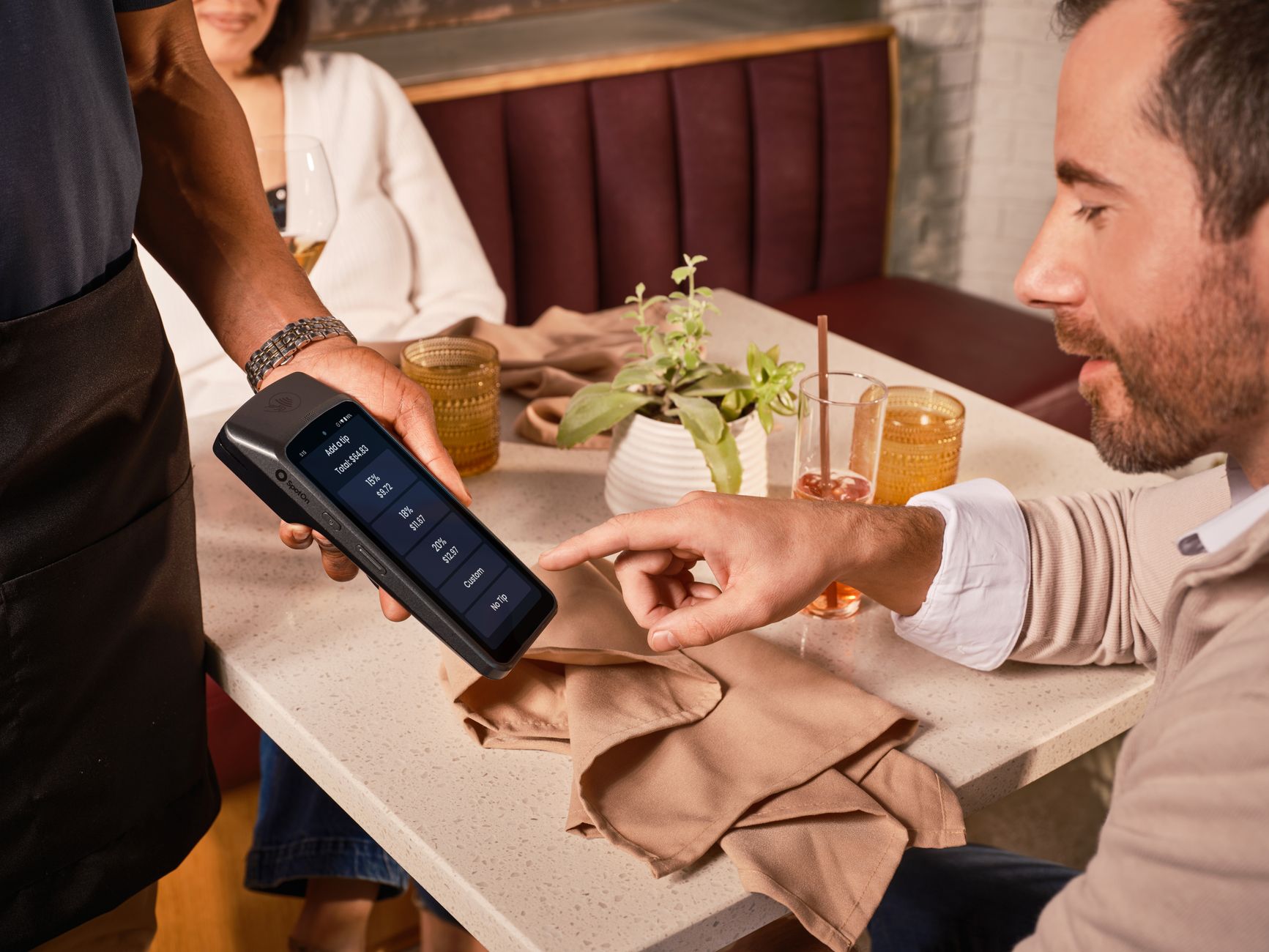
Connecting your POS with online orders does not always mean a “magic” technical integration. In practice, for a restaurant, it means that the order, payment, kitchen and delivery work in a clear flow, without double entry, confusion or delays. If you set it up properly, you gain speed, reduce mistakes and give the customer a more consistent experience.
Below, you’ll find a practical plan to organise your POS together with your online orders, whether you use a technical connection or simply want a clear payment process at the door, at the till or in the shop.
1. Clarify what “connection” means for your restaurant
Before you speak to suppliers or change tools, write down exactly what you need. It is one thing for the order to pass automatically into a system, another to take card payments on your own POS at the door, and another to organise online orders so your staff know what they need to do.
Start with three simple questions:
- Where do you receive the online order? On a platform, on your own system, by phone or from social media?
- When is payment made? In the shop, at the door, on collection or in another way?
- Who updates the kitchen? The till, the shift manager or the ordering system directly?
If you do not have clear answers, your team will improvise. And wherever there is improvisation, mistakes appear: wrong amounts, forgotten extras, delayed orders or double charges.
2. Choose an online ordering system based on the payment flow
You should not choose the online system only based on how the menu looks. You need to see whether it fits the way you work: delivery, collection from the shop or both. If the customer pays by card at the door, you need a process that correctly informs the driver about the amount and the payment method.
To assess a system, check whether you can set up:
- a menu with options, extras and clear prices,
- delivery charges, minimum order and free delivery threshold,
- opening hours and temporary order pause,
- average preparation time,
- order status updates for the customer.
If you are at the stage of choosing a tool, it is worth reading a practical guide on an Online ordering system for restaurants, so you can see what to pay attention to before you decide.
3. Check what your POS can really do
Before assuming that your POS “connects” with anything, speak to your supplier and ask for clear answers. Do not settle for general phrases like “yes, it can be done”. Ask exactly what can be done, through which process, who supports it and what happens if something does not work during peak hours.
Useful questions:
- Is there a technical connection with the ordering system I use?
- If not, what is the recommended manual process?
- Can staff clearly see the order amount?
- How are delivery payments separated from in-shop payments?
- What happens if the customer changes payment method at the door?
If there is no technical connection, that does not mean you cannot work properly. It means you need a strict flow: who reads the order, who prepares the POS, who takes payment and who closes the order.
4. Set up a clear process for order, payment and delivery
The best “connection” is the one the whole team understands. Create a simple scenario for each type of order. For example, one scenario for delivery with cash payment, another for delivery with card payment on the POS at the door, and another for collection from the shop.
A practical example of a delivery flow:
- The online order appears on the order board.
- The person in charge accepts or rejects it quickly.
- The kitchen sees products, extras and customer comments.
- The driver takes the POS with them if payment is by card.
- On delivery, they collect the exact amount and update that the order has been delivered.
If you use Wiiz Eat, the customer pays the restaurant directly, in cash or by card on your own POS at the door. The important thing is to have decided in advance who checks the amount before the driver leaves.
5. Create a menu that does not cause mistakes at the till
Many problems with POS and online orders start with the menu. If prices are not the same, if extras are not clear or if a product has one name in the shop and another online, staff lose time and make mistakes.
Check your menu by category:
- Product names: Use the same or very similar names to the ones your team knows.
- Prices: Check base price, extras, size options and charges.
- Products that often run out: Set a process for immediate hiding or pausing.
- Customer comments: Define who reads them before preparation starts.
- Allergens and special notes: Keep them clear and up to date.
A simple test: take a hypothetical order with a burger, extra cheese, no onion and a delivery charge. If your staff can immediately find the correct amount and preparation details without questions, you are on the right track.
6. Train the team with short shift instructions
Even the best system breaks down if the team does not know what to do. Training does not need to be long. It needs to be practical, repeated and the same for everyone. Create a small sheet or file with the basic steps and keep it near the point where you handle orders.
The shift instructions can include:
- who accepts online orders,
- who updates the kitchen,
- who checks the payment and the amount,
- when the driver takes the POS,
- what you do if a product is unavailable,
- what you do if the customer calls to make a change,
- who closes the order as completed.
Do two test orders before the rush as well. One easy and one difficult, with extras, a customer comment and a different payment method. This way, you will see where the process gets stuck before the customer sees it.
7. Test the flow before putting it into normal operation
Do not open online orders at full volume without testing. Ask a small team to place orders as if they were real customers. Test collection from the shop, delivery with cash, delivery with card on the POS and an order with a product that has many options.
In each test, note:
- whether the order appeared immediately,
- whether the amount was clear,
- whether the extras reached the kitchen correctly,
- whether the preparation time was realistic,
- whether the driver had all the information they needed,
- whether the customer was correctly updated on progress.
If you find a problem, do not leave it for “later”. Fix it before you enter peak hours. Usually, small gaps in the process become big problems when you have many orders at the same time.
8. Monitor daily operation and improve small points
Connecting POS and online orders is not something you set up once and forget. It needs monitoring in daily operation. Not necessarily with complicated analysis, but with practical observations from the team and customers.
At the end of each week, ask:
- Where do we lose the most time?
- Which products often create questions?
- Are there mistakes in amounts, extras or payment methods?
- Do drivers leave with the right information?
- Do customers understand when the order is ready or out for delivery?
Small changes can bring a lot of calm to the shift: better product names, clearer comments, more realistic preparation times or a clear rule about who handles the POS. The aim is not simply to “connect” tools, but to create a flow that works consistently every day.