
A restaurant delivery driver app should do three basic things: assign orders correctly, guide the driver to the customer and update the restaurant on the progress of the delivery. If it does not help with these, it simply adds another tool that confuses the team.
For a restaurant, souvlaki shop, burger place, café or pizzeria, delivery is not judged only by how quickly the food is cooked. It is judged by whether the right driver took the right bag, went to the right address, updated in time and came back without wasted time. Below you will see, in practical terms, what this kind of app should include and how to make it work in day-to-day operations.
1. It should clearly show the order the driver is taking
The first thing a driver needs is a clear view of the order. Not half the information, not paper notes that get lost, not phone calls every two minutes. The app should show them only what they need in order to deliver correctly.
Ideally, their screen should show:
- customer name and phone number, once they have taken the order,
- delivery address and any comments, such as floor or doorbell,
- payment total and payment method, where needed,
- basic order details, so they can check they have taken the right bag,
- assignment time and delivery status.
Practical step: set a rule that no order leaves unless the driver has taken it in the app. This reduces the “who took it?” problem and keeps one shared picture for the whole team.
2. It should open the address in a map without copying
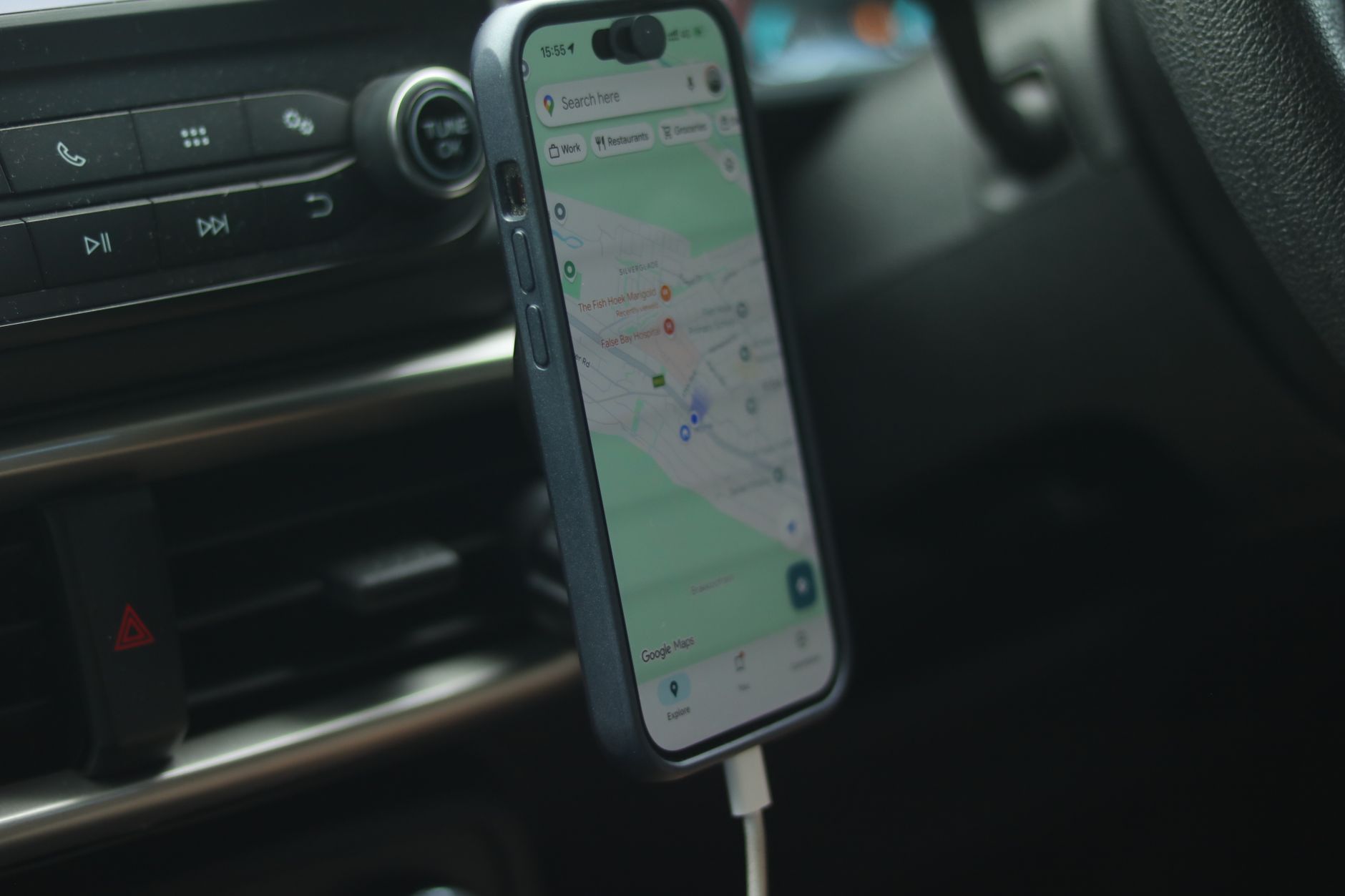
The address is where many minutes are lost. If the driver has to copy the street, number and area by hand, the chances of a mistake increase. A good driver app should open the address directly in a map, so the driver can set off quickly.
This does not mean everything is solved automatically. The restaurant or customer also needs to enter the details correctly. Create a small internal checklist:
- always ask for area, street, number and floor,
- write comments only when they genuinely help,
- avoid vague notes such as “next to the kiosk”, without a full address,
- check the address before pressing accept in difficult areas.
If you use your own drivers, tools such as Wiiz Eat provide an app for the restaurant’s drivers, where the address opens in Google Maps after the driver has taken the order.
3. It should protect customer details
Convenience should not mean that everyone sees everything. A proper driver app needs to show the customer’s details only to the driver who has taken the order. This limits unnecessary exposure of information and keeps your operation more professional.
In practice, this also helps you organise the work. The driver sees only the orders that concern them, so they are not confused by other deliveries. The restaurant knows who has what, without searching through paper notes or message groups.
Set simple rules for the team:
- the driver does not photograph receipts or screens with customer details,
- they do not share addresses in personal messages, unless there is a serious reason,
- if there is a mistake or something is unclear, they contact the restaurant first,
- after delivery, they do not keep personal notes about customers.
These are simple points, but they build trust and reduce awkward situations.
4. It should update the order status
A delivery is not just “left” and “arrived”. There are stages: acceptance, preparation, assignment, departure, delivery. When these are clear, the restaurant can answer the customer without panic and without shouting towards the kitchen.
The app should allow the driver or the restaurant to update the status with simple actions, such as:
- “assigned”, when the driver takes it,
- “out for delivery”, when they leave the restaurant,
- “delivered”, when it is completed,
- “problem”, if they cannot find the customer or there is a wrong address.
Do not make it complicated. If you ask the driver to press ten different buttons, they will not do it properly at peak time. Keep the stages few, the names clear and the usage shared across the whole team. That way you have a real view, not just an app left open.
5. It should help separate delivery and collection correctly
Many businesses get confused when they are running delivery and in-store collection at the same time. The app should clearly separate what is for delivery and what is for collection, so the wrong bag is not given to the wrong person.
Create a separate workflow at the counter:
- one area for delivery orders,
- one area for collections,
- labelling with the customer name or order number,
- a final check before the bag leaves,
- a rule that the driver does not take a bag without confirmation.
A hypothetical example: if you have 6 orders on the counter and 2 are collections, the driver should see only the 4 that are for delivery. This reduces mistakes under pressure, especially when the kitchen, till and drivers are all working at the same time.
6. It should work simply for your own drivers
If you have your own fleet, even a small one, the app should be simple for everyday use. You do not want the driver to need an hour of training to take an order. You want them to log in, see what they have taken and set off.
Before choosing a solution, check the following:
- how the driver logs in,
- whether it can be used easily from a mobile,
- whether they see only the necessary information,
- whether order assignment is clear,
- whether the address opens quickly in a map,
- whether the restaurant team can see who has taken what.
For example, Wiiz Eat includes a free app for your own delivery drivers, with login via SMS code. There is no shared fleet of drivers; you work with your own people and organise your deliveries through the order board.
7. It should connect with the restaurant’s daily workflow
The best app will not save you if your internal workflow is confused. You need to decide who accepts the order, who prepares it, who checks it and who hands it to the driver. If everyone does a bit of everything, things will fall apart during the rush.
A simple way to organise this is:
- the till or shift manager accepts the order,
- the kitchen sees what needs to be prepared,
- the counter packs and checks the bag,
- the person in charge assigns it to a driver,
- the driver confirms and leaves.
Test it at a quiet time. Take a hypothetical order, run it through every stage and see where the team gets stuck. You may discover that the problem is not the delivery, but where the bags are left or who gives the final approval.
8. You should have clear rules for delays and problems
No app can make traffic, rain, the wrong doorbell or a customer who does not answer disappear. What it can do is help you respond quickly. That is why you need rules before the problem appears.
Write a short procedure for common scenarios:
- The customer does not answer: the driver calls once, then informs the restaurant.
- The address is wrong: they do not drive around on their own; they ask for confirmation.
- There is a long delay: the restaurant updates the customer with an honest time.
- An item is missing: the bag returns or a top-up is sent only by decision of the person in charge.
For a more detailed look at organising drivers, you can also see the guide App for your drivers. The important thing is not to rely on memory. The clearer the rules are, the fewer tensions you have on difficult shifts.